ServiceNow Webhook
Receive ServiceNow incident notifications directly into NudgeBee. When an incident is created or updated in ServiceNow, NudgeBee automatically creates an event enriched with incident details.
Step 1: Create the Webhook in NudgeBee
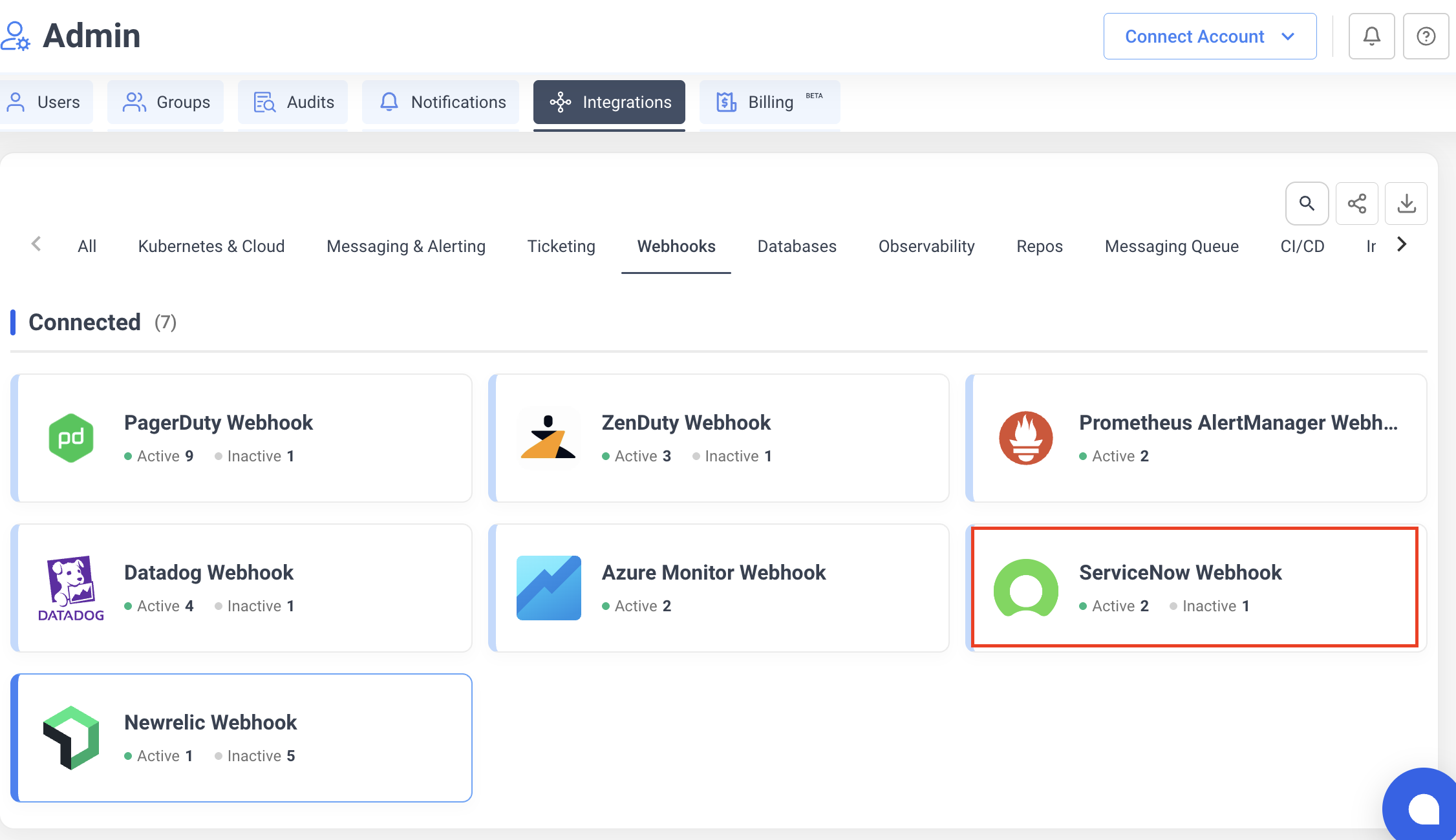
- Navigate to Integrations > Webhooks tab.
- Click the ServiceNow Webhook card.
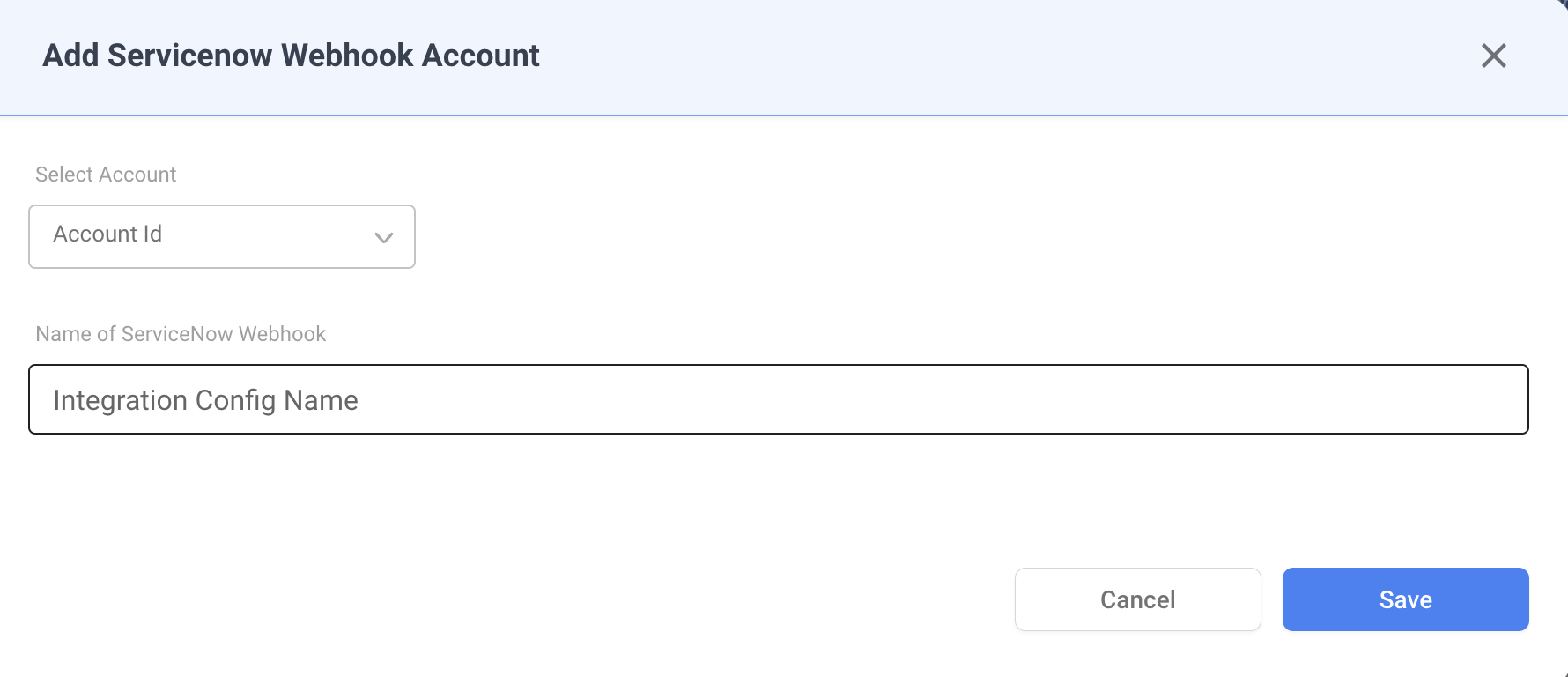
- Fill in the configuration:
- Account — select the NudgeBee account to receive events.
- Integration Config Name — a descriptive name for this webhook (e.g.,
Production Incidents).
-
Click Save. NudgeBee generates a unique webhook URL.
-
Copy the webhook URL from the dialog. It follows this format:
https://<your-nudgebee-domain>/api/webhooks/servicenow?token=<generated-token>
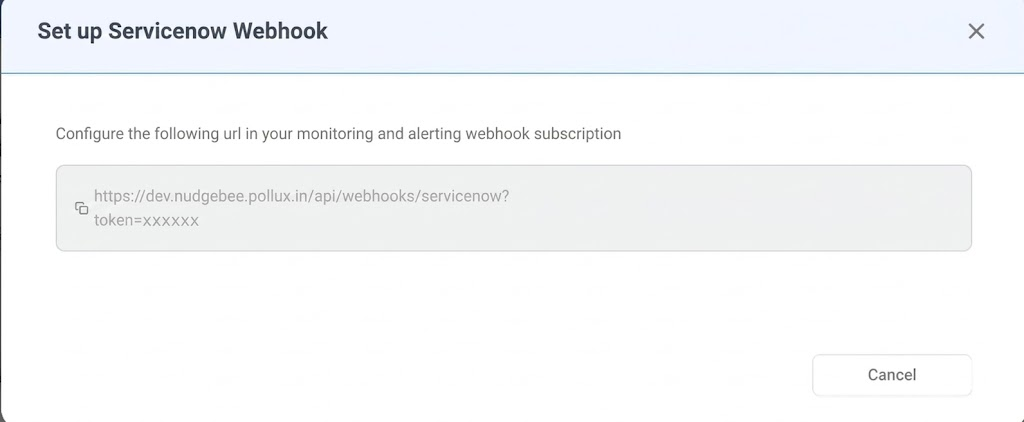
Keep this URL — you will configure it in ServiceNow in the next step.
Step 2: Configure ServiceNow Outbound REST Message
- In ServiceNow, navigate to System Web Services > Outbound > REST Message.
- Click New to create a new REST message.
- Configure the REST message:
- Name: enter a descriptive name (e.g.,
NudgeBee Webhook). - Endpoint: paste the NudgeBee webhook URL from Step 1.
- Name: enter a descriptive name (e.g.,
- Under HTTP Methods, create a new POST method:
- Name:
POST - Endpoint: paste the same NudgeBee webhook URL.
- HTTP Headers: add
Content-Type: application/json.
- Name:
- Click Save.
Step 3: Create a Business Rule to Trigger the Webhook
- In ServiceNow, navigate to System Definition > Business Rules.
- Click New to create a new business rule.
- Configure the business rule:
- Name: enter a descriptive name (e.g.,
NudgeBee Incident Webhook). - Table: select
Incident [incident]. - When to run: select after insert and/or update, depending on when you want to notify NudgeBee.
- Name: enter a descriptive name (e.g.,
- In the Advanced tab, add a script that calls the REST message created in Step 2 with the incident details as the JSON payload.
- Click Save.
For more details on ServiceNow outbound integrations, see ServiceNow's REST Message documentation.
How It Works
When ServiceNow sends a webhook payload to NudgeBee, the following processing occurs:
State Mapping
| ServiceNow State | NudgeBee Status |
|---|---|
New, In Progress, On Hold | Firing |
Resolved | Resolved |
Closed | Resolved |
Priority Mapping
| ServiceNow Urgency | NudgeBee Priority |
|---|---|
| 1 - High | High |
| 2 - Medium | Medium |
| 3 - Low | Low |
Event Deduplication
Events are deduplicated using a fingerprint derived from the incident sys_id. Repeated webhook calls for the same incident update the existing event instead of creating duplicates.
Verify the Integration
- In ServiceNow, create or update a test incident that matches the business rule criteria.
- In NudgeBee, navigate to Events and verify the incident appears with:
- Correct title and priority
- Incident details evidence attached
Troubleshooting
| Issue | Resolution |
|---|---|
| Webhook URL returns 401 | Verify the token query parameter in the URL is correct. Regenerate the integration if needed. |
| Events not appearing at all | Check that the ServiceNow business rule is active and the REST message endpoint URL is correct. |
| Duplicate events | Expected behavior — NudgeBee deduplicates by sys_id. State updates (e.g., In Progress → Resolved) update the existing event. |