Slack
How to configure Slack in your NudgeBee Account
- This loom below shows how to configure Slack in your account for notifications.
How to configure Slack in your on-prem NudgeBee
To use Slack integration in your on-prem NudgeBee, you’ll need to create a Slack app.
Step 1. To create a new Slack app, navigate to Your Apps on https://api.slack.com/apps and click Create new App.
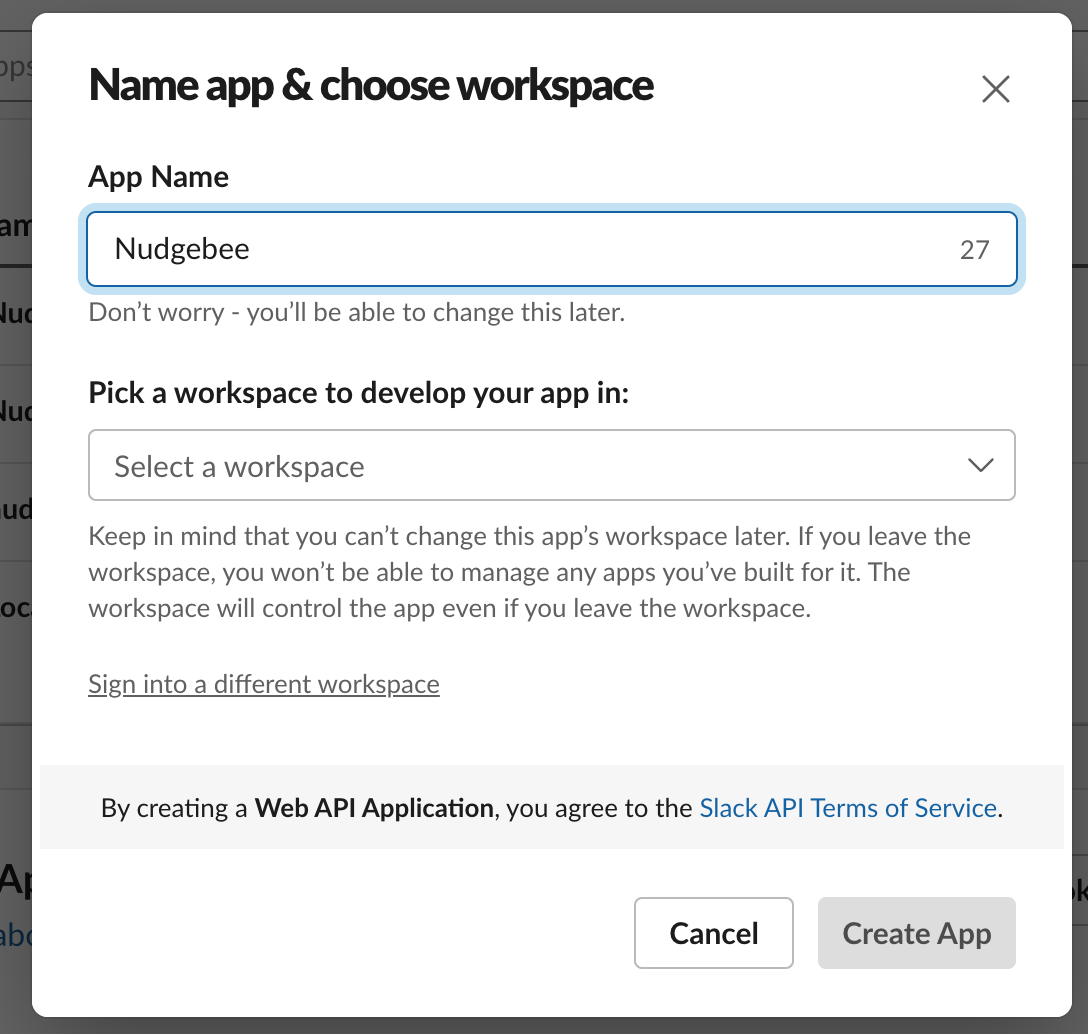
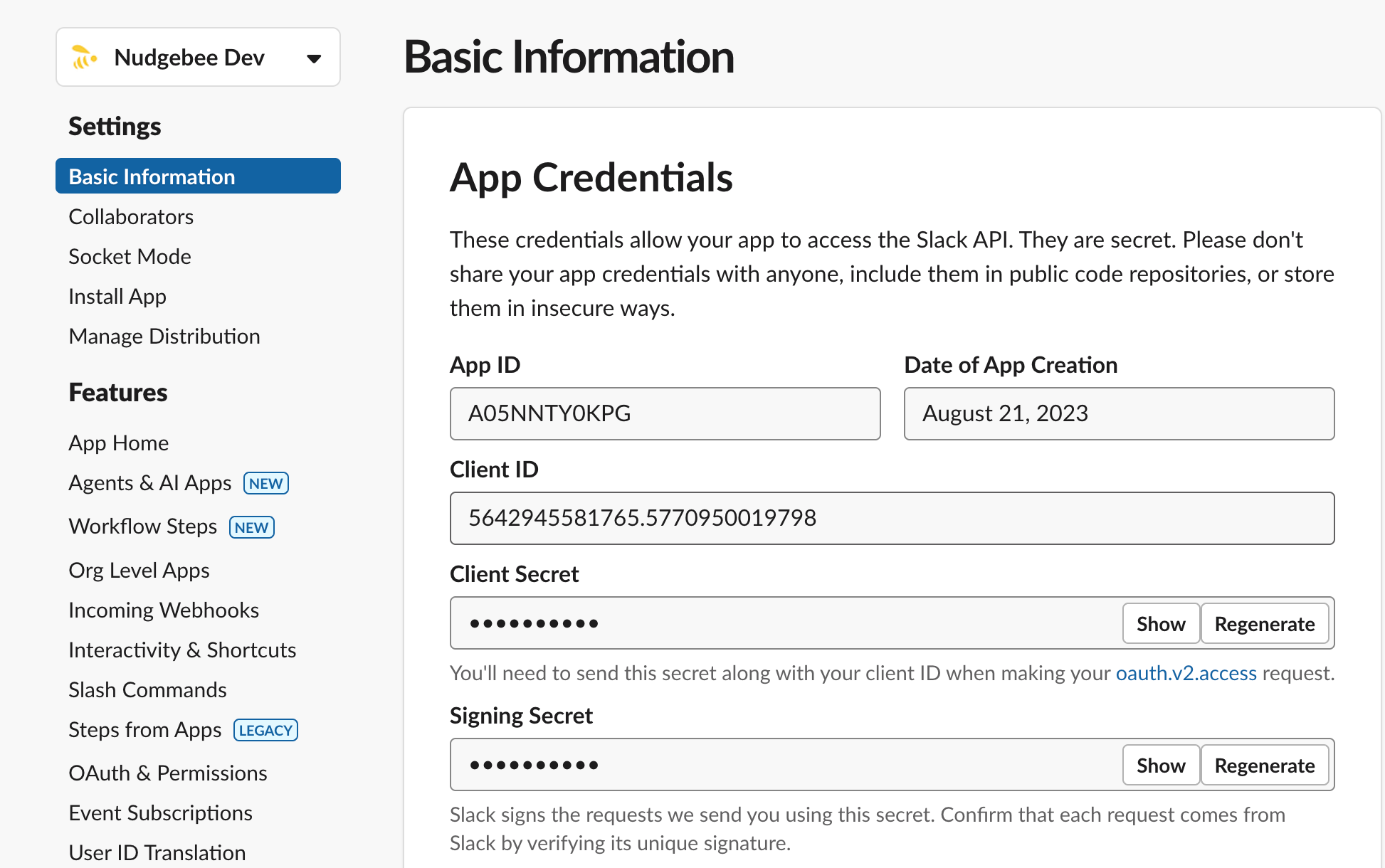
After naming your app and connecting your workspace, navigate to Basic Information. Here you’ll find your Client ID, Client Secret, and Signing Secret that lets your app access the Slack API.
Here’s where you’ll connect your on-premise NudgeBee instance to your newly created Slack app. Copy your Client ID, Client Secret, and Signing Secret to your secrets in your nudgebee server.
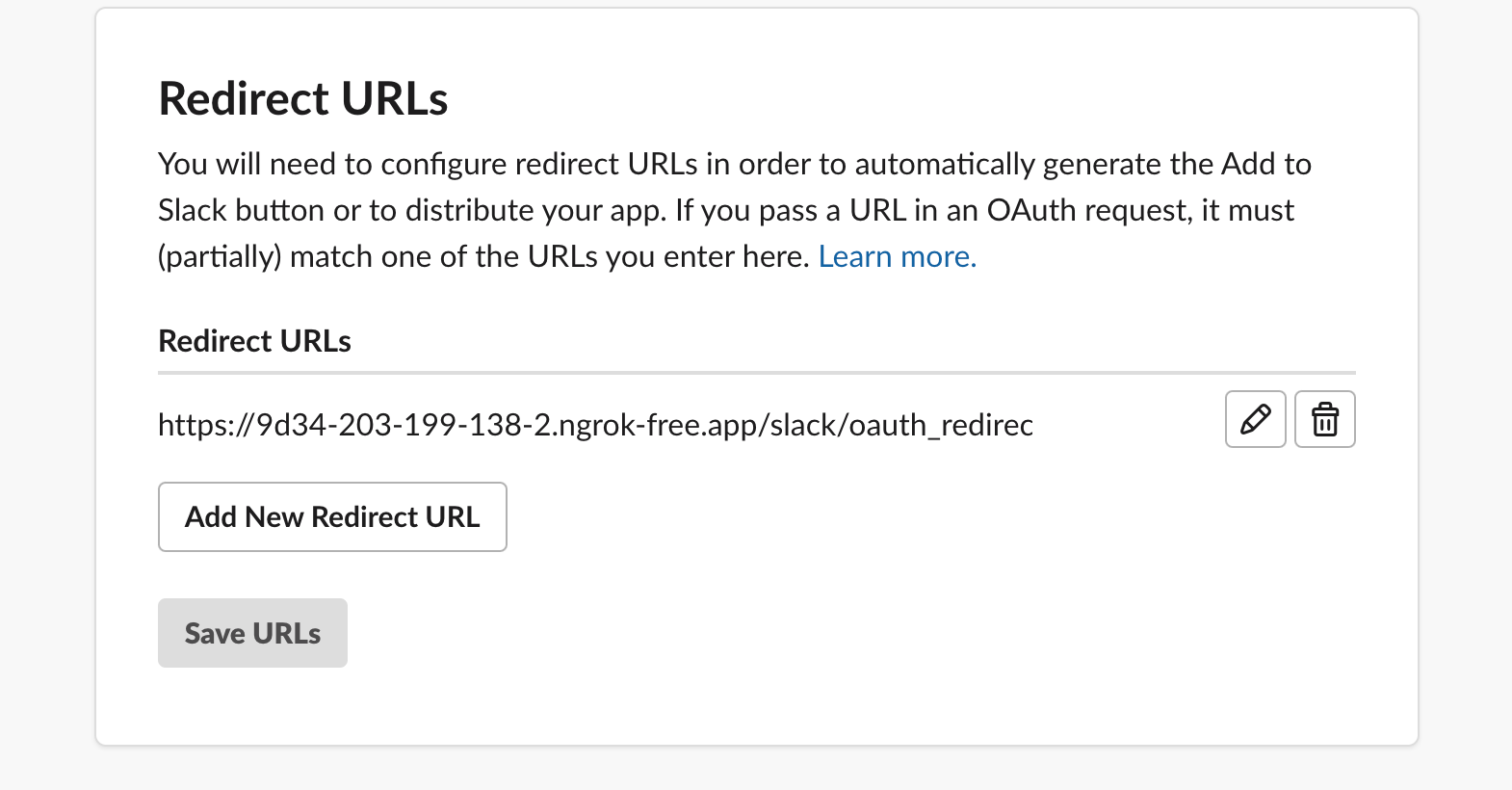
Step 2. Now that you’ve created your app and updated your NudgeBee config, you’ll need to set up the OAuth Redirect URL.
Navigate to OAuth & Permissions under Features to configure the Redirect URLs.
Click Add New Redirect URL, enter the URL, and click Add. The URL will look like:
Callback URL: https://www.your-nudgebee-server.com/api/slack/oauth_redirect
Step 3. On the same page under Scopes in the Bot Token Scopes, click on Add an OAuth Scope and select the following from the dropdown menu:
channels:read
chat:write
chat:write.public
files:write
groups:read
mpim:read
Step 4. Also, to enable interaction with bot, navigate to Interactivity & Components under Features. (This step can be skipped if you don’t want to use interactive features in Slack.)
Click Enable Interactive Components, and you’ll be able to enter your Request URL (this is the location of your on-premise NudgeBee) and Options Load URL:
Request URL: https://www.your-nudgebee-server.com/api/webhooks/slack/interactive
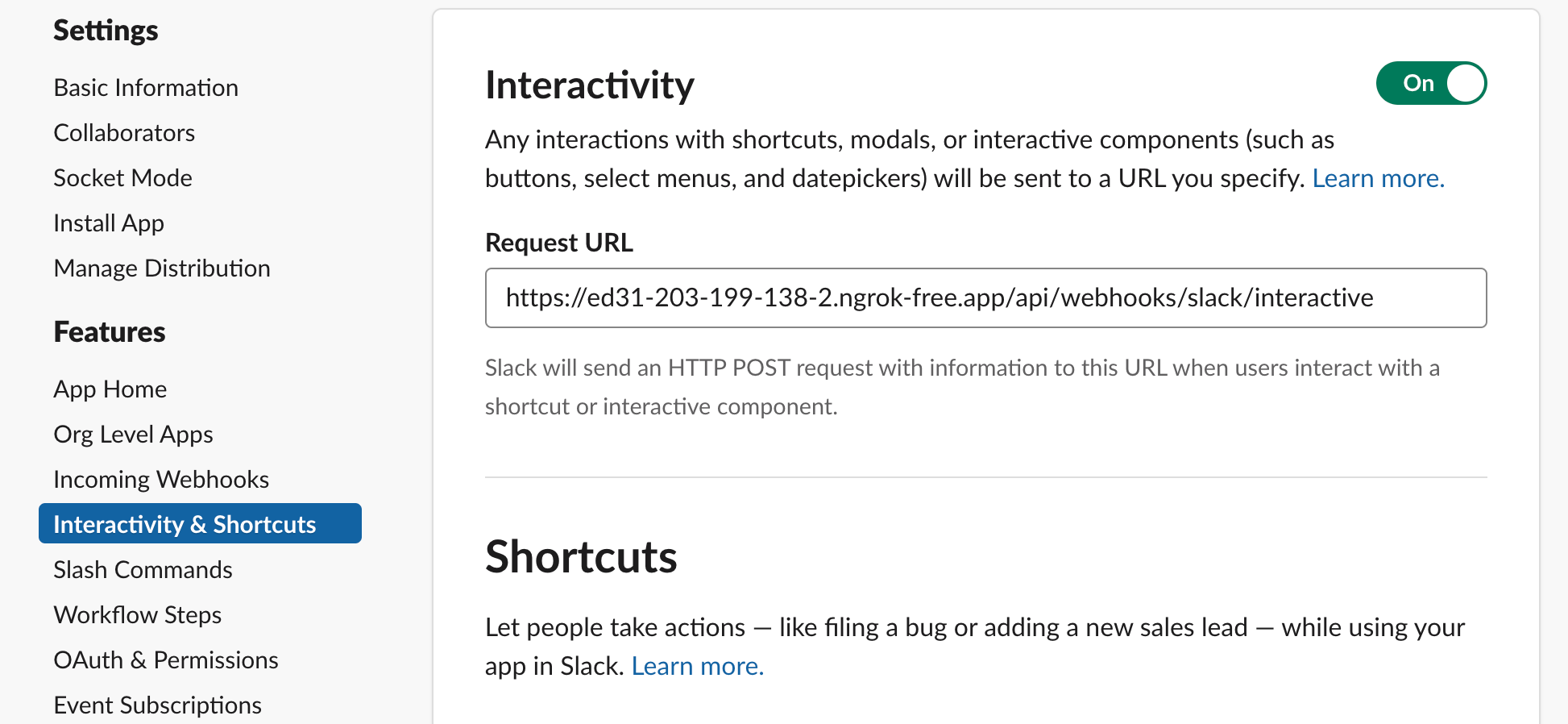
Click Save Changes and Slack will confirm if the HTTP request to the URL you entered succeeds or fails.
Step 5. Save changes and click on Allow to authorize and install the NudgeBee Slack app to your workspace.
Step 6. Once you’ve installed the app, you’ll need to add your Slack app's credentials (Client ID, Client Secret, and Signing Secret, typically found on its 'Basic Information' page) to your NudgeBee secrets.
Navigate to your NudgeBee secrets and add the following:
SLACK_CLIENT_SECRET: The Client Secret for the Slack application integration.
SLACK_SIGNING_SECRET: The Signing Secret for the Slack application.
SLACK_CLIENT_ID: The Client ID for the slack app.
You can see the in basic information of your Slack app.