ServiceNow
Integrate NudgeBee with ServiceNow for ticket management. Create ServiceNow incidents directly from NudgeBee events, and optionally sync your ServiceNow Knowledge Base articles for AI-assisted troubleshooting.
Prerequisites
Before configuring the integration, ensure you have:
- A ServiceNow instance (e.g.,
https://your-instance.service-now.com) - A ServiceNow username and password with permissions to create incidents
- Access to the incident table in your ServiceNow instance
Step 1: Add the ServiceNow Account in NudgeBee
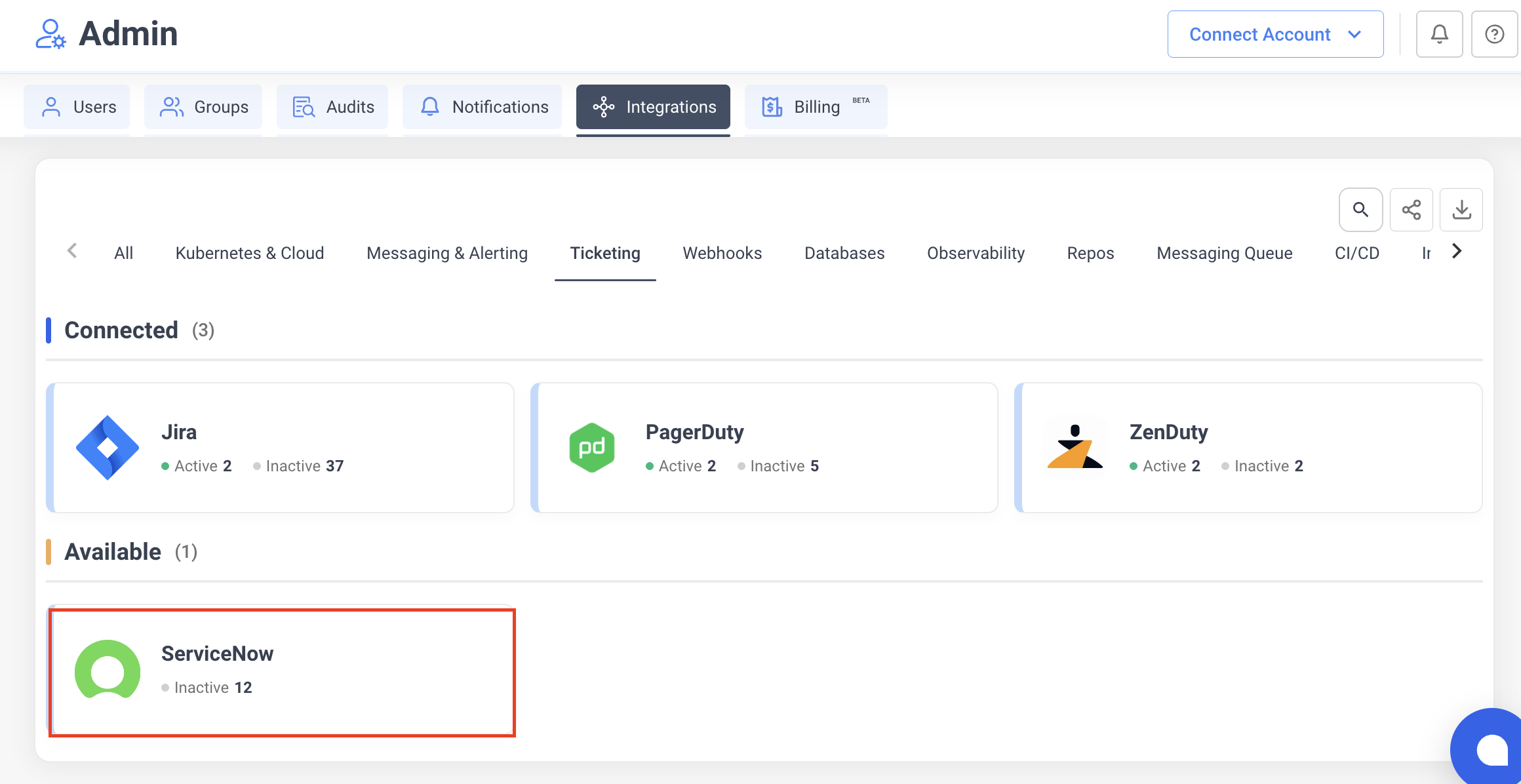
- Navigate to Settings > Integrations > Ticketing tab.
- Click the ServiceNow card.
- Fill in the configuration:
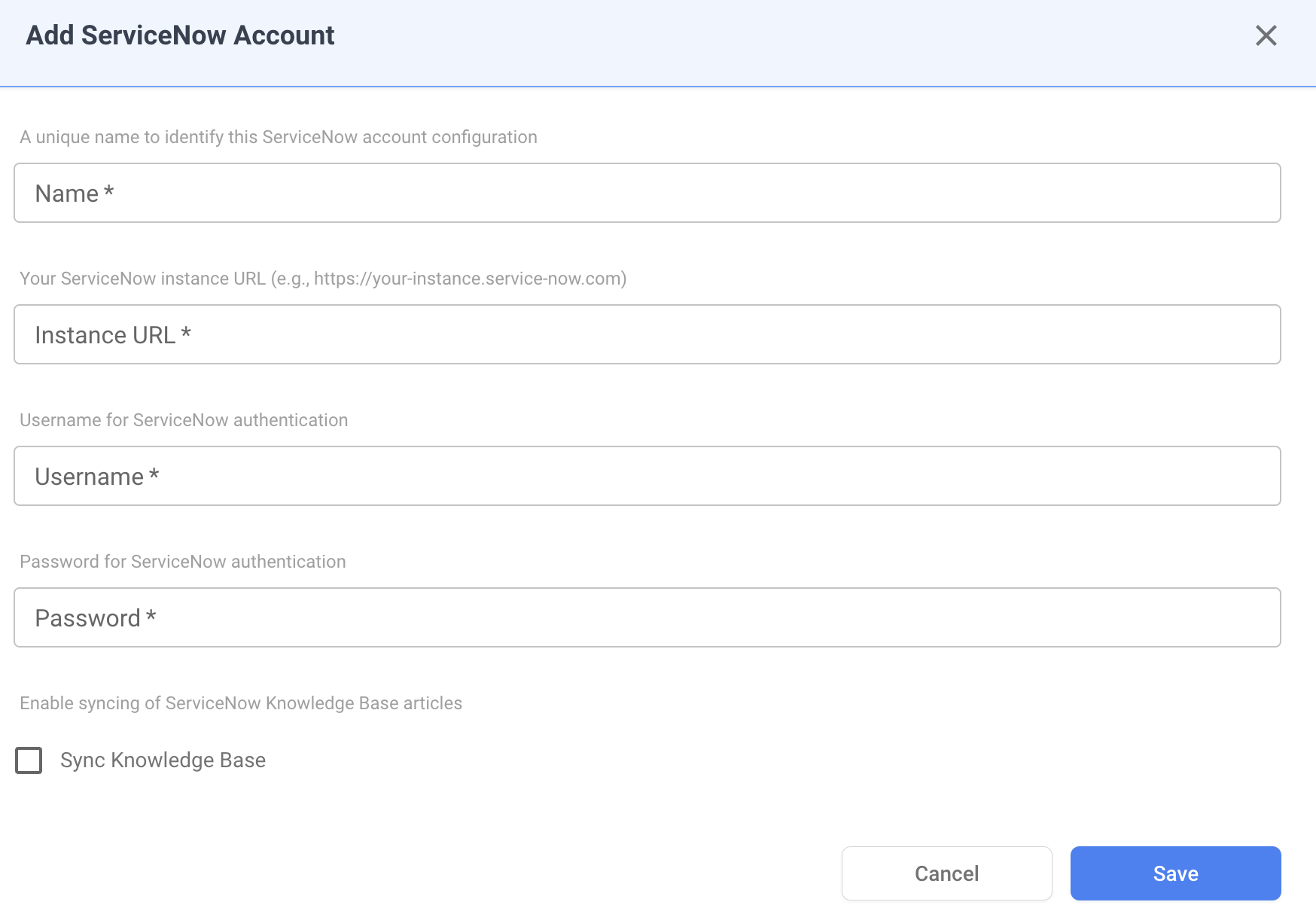
- Name — a unique name to identify this ServiceNow account configuration (e.g.,
Production ServiceNow). - Instance URL — your ServiceNow instance URL (e.g.,
https://your-instance.service-now.com). - Username — a ServiceNow user account with permissions to create and update incidents.
- Password — the password for the ServiceNow user account. This value is stored encrypted in NudgeBee.
- Sync Knowledge Base — enable this checkbox to sync your ServiceNow Knowledge Base articles into NudgeBee for AI-assisted troubleshooting.
- Click Save.
Credential validation: on save, NudgeBee tests the connection by querying the incident table. If authentication fails, verify your instance URL, username, and password are correct.
Step 2: Create Incidents from NudgeBee
Incidents can be created from NudgeBee in two ways:
- Automatically — from events, alerts, or autopilot runbook actions.
- Manually — from the NudgeBee event detail view by clicking the ticket icon and selecting ServiceNow.
Each incident includes:
- A short description derived from the event title.
- A detailed description with full event context.
- Urgency set based on the event priority.
How It Works
Capabilities
Once configured, NudgeBee can perform the following operations with ServiceNow:
| Operation | Description |
|---|---|
| Create Incident | Create incidents with title, description, and urgency |
| Add Work Notes | Add internal work notes to existing incidents |
Supported Incident Fields
| Field | Description |
|---|---|
| Short Description | Incident title |
| Description | Detailed incident description with event context |
| Urgency | Mapped from NudgeBee priority |
Priority Mapping
| NudgeBee Priority | ServiceNow Urgency |
|---|---|
| High | 1 - High |
| Medium | 2 - Medium |
| Low | 3 - Low |
Knowledge Base Sync
When Sync Knowledge Base is enabled, NudgeBee imports your ServiceNow Knowledge Base articles. These articles are then used by the AI engine to provide context-aware troubleshooting recommendations based on your organization's documented procedures and solutions.
Verify the Integration
- Save the configuration. If credentials are valid, the integration is created without errors.
- Navigate to any event in NudgeBee.
- Click the ticket creation option and select ServiceNow.
- Verify the incident is created in your ServiceNow instance with the correct fields.
Troubleshooting
| Issue | Resolution |
|---|---|
| Authentication fails on save | Verify your instance URL, username, and password are correct. Ensure the user has permissions to query the incident table. |
| Incidents not being created | Confirm the ServiceNow integration is active and the user account has incident_create permissions. |
| Knowledge Base articles not syncing | Ensure the Sync Knowledge Base checkbox is enabled and the user has read access to the Knowledge Base tables. |
| Work notes not appearing | Verify the user account has permissions to update incidents and add work notes. |