Loggly
Prerequisites
Before configuring the integration, ensure you have the following from your Loggly account:
- Your Loggly subdomain (the part before
.loggly.comin your account URL) - A Loggly API token with read access
Step 1: Create a Loggly API Token
NudgeBee authenticates against the Loggly Search API using an API Token.
API Token vs. Customer Token. In Loggly, API Tokens are used to retrieve logs (what NudgeBee needs). Customer Tokens are used to send logs to Loggly and are not used by this integration. Make sure you generate an API Token.
- Log in to Loggly and click the Settings (gear) icon in the left navigation.
- Select API Tokens from the Settings submenu.
- Direct URL:
https://<subdomain>.loggly.com/account/users/api/tokens
- Direct URL:
- Under Active, click Add New to generate a new token — or copy an existing token value from the list.
- Copy the token (a UUID, e.g.,
0d60ebd7-b919-4a49-bd0f-aaab338c18d0). You'll paste it into NudgeBee in Step 2.
Note: Managing API Tokens requires an admin or account-owner role in Loggly. Free Loggly accounts cap the number of active API Tokens — if Add New is disabled, retire an unused token first.
Reference: Loggly: Token Based API Authentication
Step 2: Configure the Integration in NudgeBee
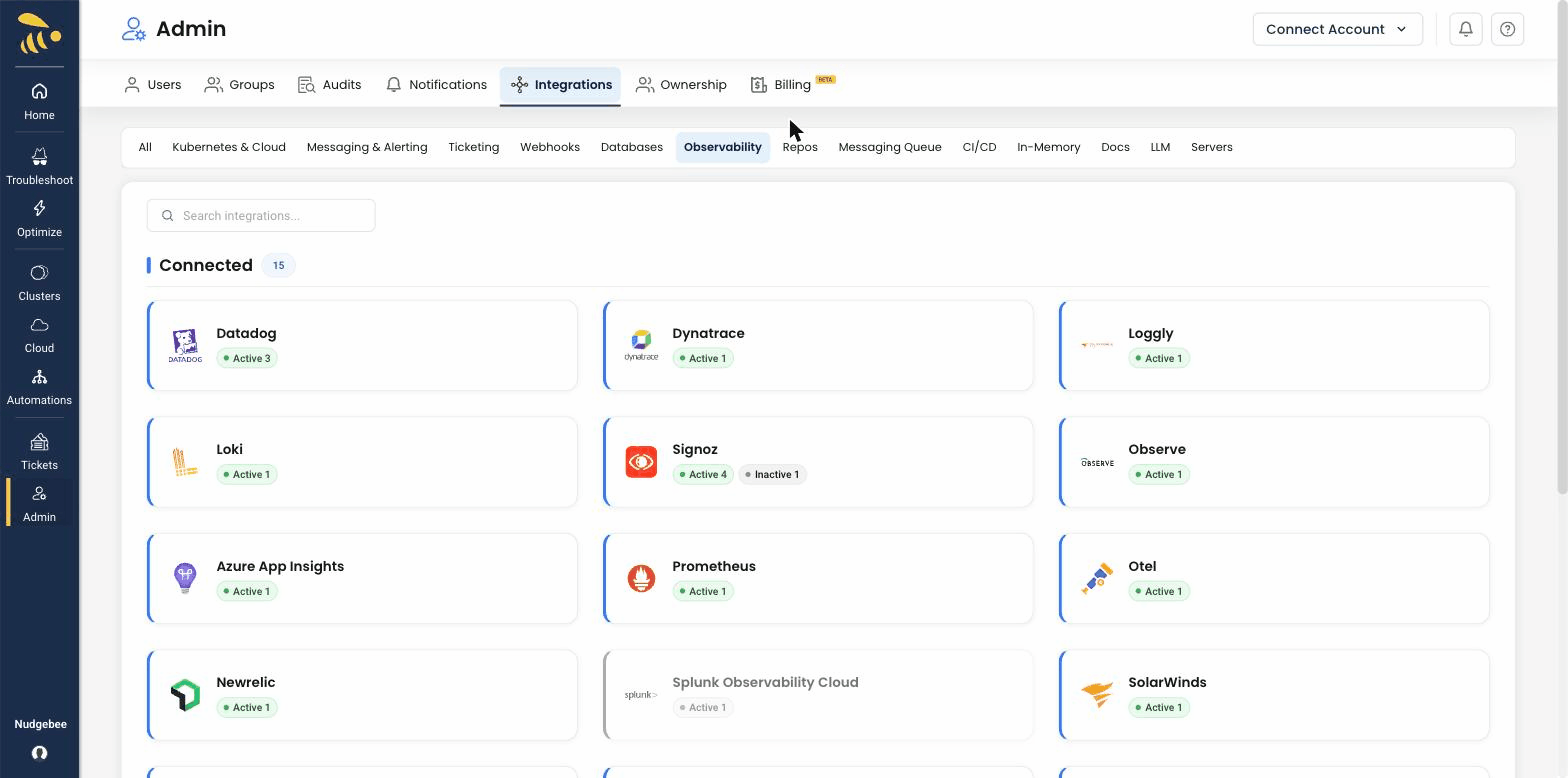
Navigate to Integrations > Observability tab and select Loggly to open the configuration form.
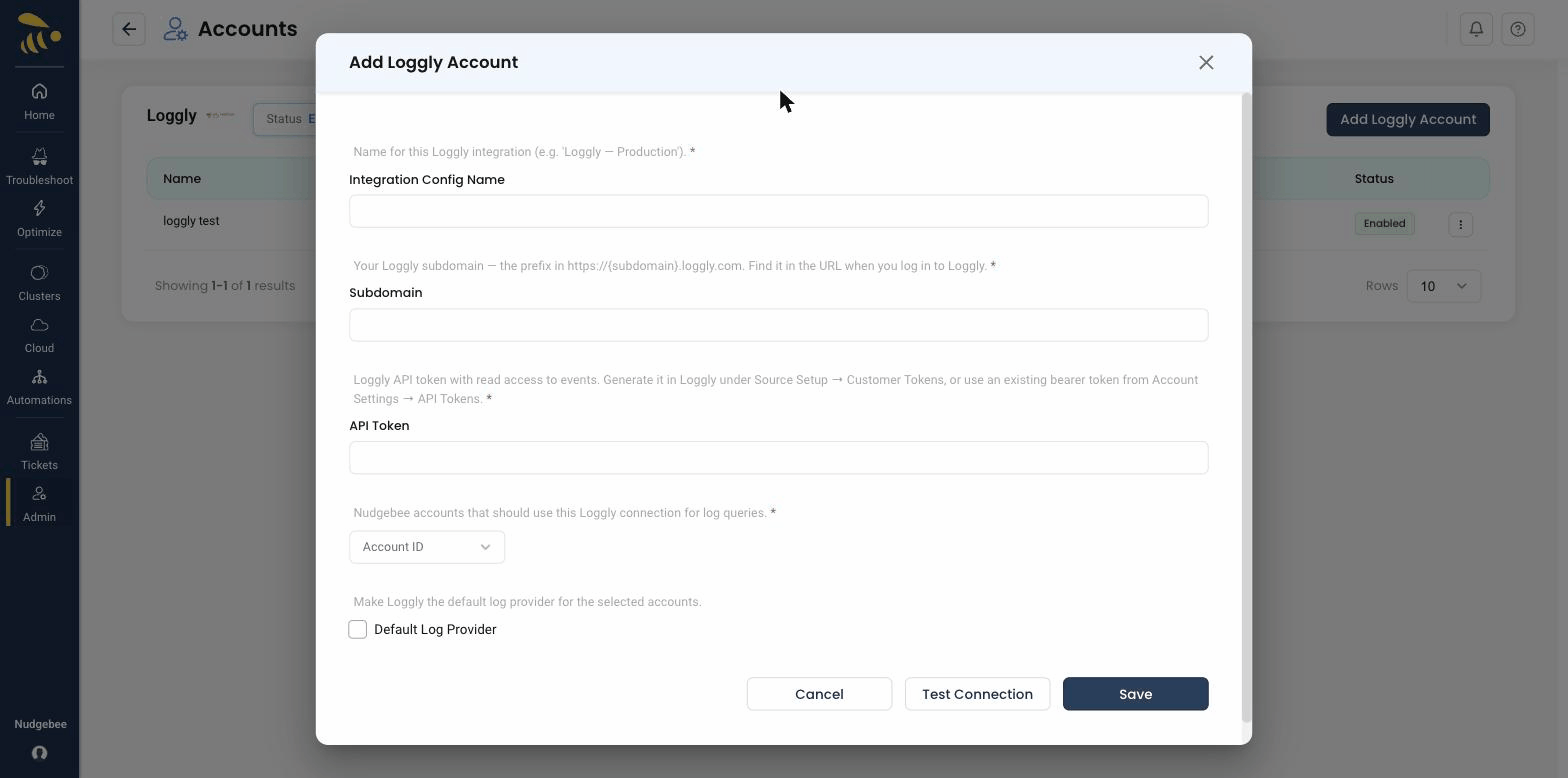
Configuration Fields
-
Account Id
- Select the NudgeBee account to link with this Loggly integration from the dropdown.
-
Integration Config Name
- A descriptive name for this integration (e.g.,
Production Loggly Logs). - Used to identify this configuration when multiple Loggly integrations exist.
- A descriptive name for this integration (e.g.,
-
Subdomain * (Required)
- Your Loggly customer subdomain.
- This is the part of your Loggly URL before
.loggly.com. For example, if your Loggly URL ishttps://mycompany.loggly.com, your subdomain ismycompany.
-
API Token * (Required)
- The Loggly API Token you generated in Step 1.
- NudgeBee uses this to authenticate against the Loggly Search API when retrieving logs.
-
Default Log Provider
- Enable this to set Loggly as the default source for log queries across NudgeBee.
What Gets Connected
Once configured, NudgeBee queries your Loggly account for log data using the Loggly Search API:
| Signal | API | Example Query |
|---|---|---|
| Logs | Loggly Search API | syslog.appName:"checkout-service" AND syslog.severity:error |
Log Capabilities
- Full-text search — query logs using Loggly's search syntax
- Field discovery — automatically discover available log fields and their values
- Time-range filtering — query logs within specific time windows
- Log type filtering — filter by Loggly log types and tags
Verify the Integration
- Save the configuration. If the subdomain and API token are valid, the integration is created without errors.
- In NudgeBee, open Clusters and select any cluster to open the Cluster Details page.
- In the top tab bar, click Monitoring > Logs > Query Log.
- Confirm that log data from Loggly appears in the query results. You can also verify from a specific workload's Logs tab.
Notes
- Loggly is a log-only integration. It does not provide metrics or traces.
- Log queries use the Loggly Search API at
https://<subdomain>.loggly.com/apiv2/search. - Both the subdomain and API token are validated on save to ensure the connection is working.