API Tokens
API Tokens allow you to authenticate with NudgeBee APIs programmatically. You can use them to automate workflows, integrate with external tools, or build custom scripts that interact with NudgeBee.
Accessing API Tokens
- Click the User Settings icon at the bottom of the left sidebar.

- Select API Tokens from the menu.
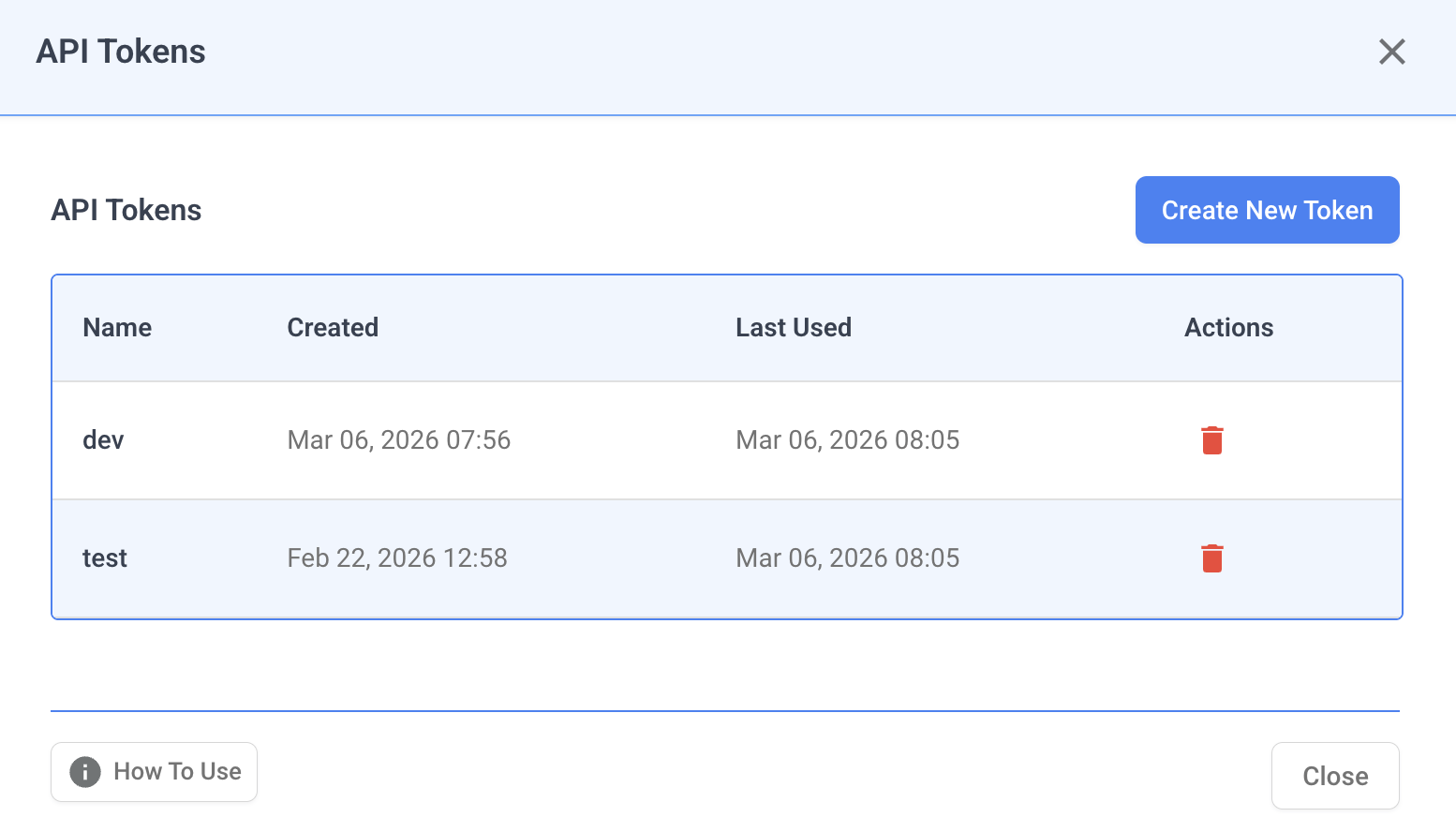
This opens the API Tokens management modal where you can create, view, and delete tokens.
Creating a Token
- Click Create New Token.
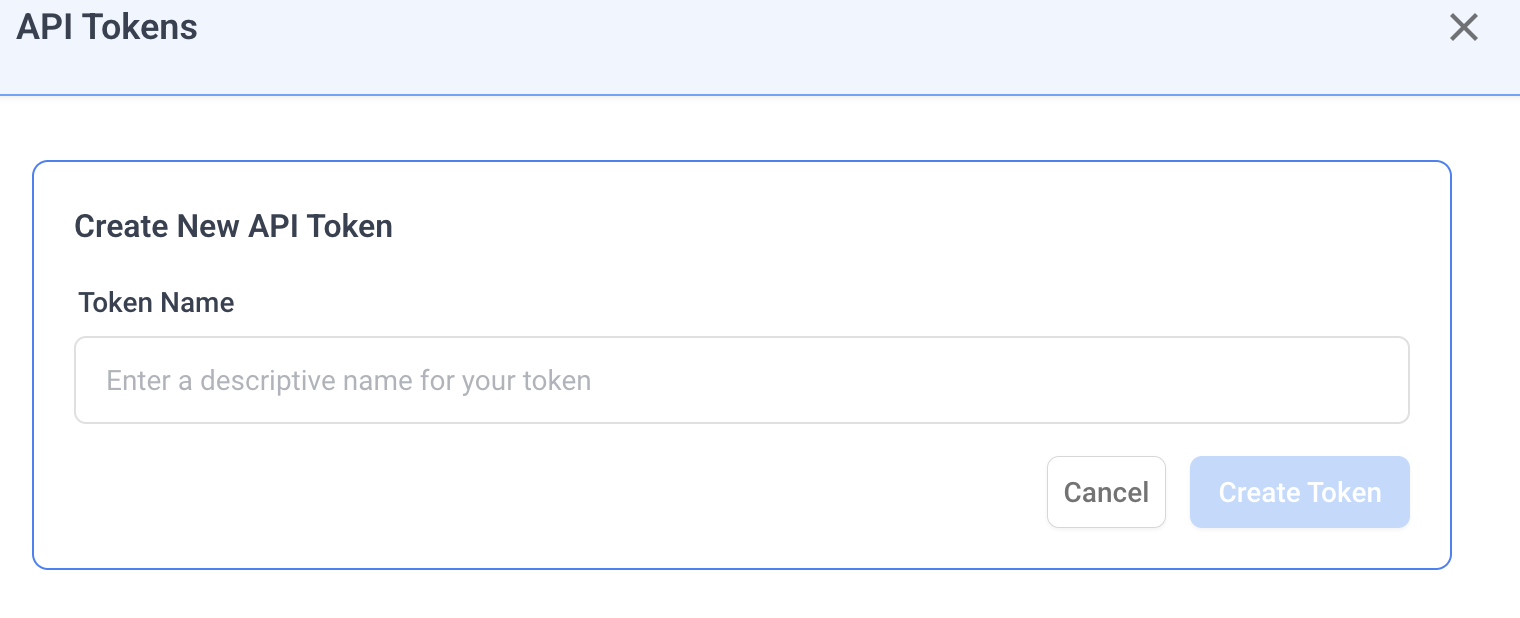
- Enter a descriptive name for your token (e.g., "CI/CD Pipeline", "Monitoring Script").
- Click Create Token.
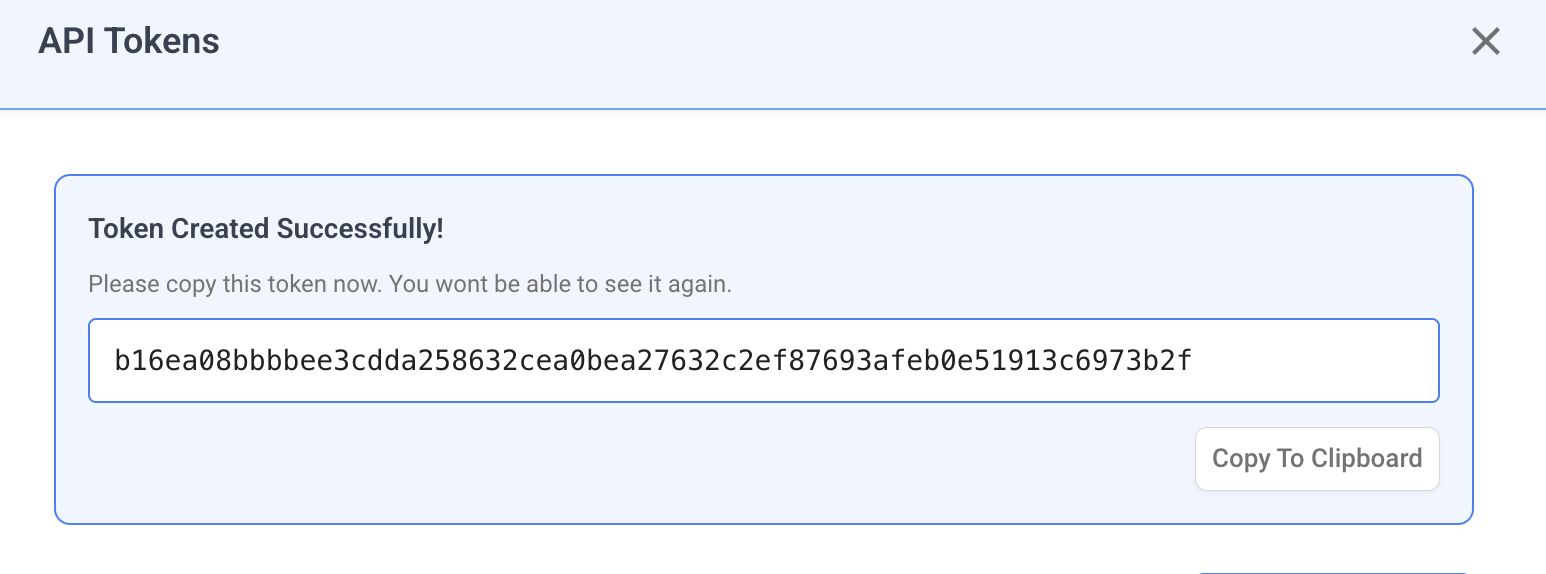
- Important: Copy the generated token immediately. You will not be able to see it again after closing the dialog.
The token list displays all your tokens with the following details:
| Column | Description |
|---|---|
| Name | The descriptive name you assigned to the token |
| Created | Date and time when the token was created |
| Last Used | Date and time when the token was last used for authentication |
Deleting a Token
- Click the delete icon next to the token you want to remove.
- Confirm the deletion in the dialog that appears.
Note: Deleting a token is irreversible. Any scripts or integrations using the deleted token will stop working immediately.
Using API Tokens
API tokens use a two-step authentication flow to make API calls.
Step 1: Generate a Temporary JWT Token
Exchange your API token for a temporary JWT token by calling the authentication endpoint:
curl https://app.nudgebee.com/api/auth/token \
  --data '{"email":"your@email.com", "secret":"YOUR_API_TOKEN"}' \
  -i \
  -H 'content-type: application/json'
- Replace
your@email.comwith your NudgeBee account email. - Replace
YOUR_API_TOKENwith the token you copied when creating it.
The response will contain a JWT token (referred to as AUTH_TOKEN below).
Step 2: Make API Calls with the JWT Token
Use the JWT token from Step 1 as a Bearer token to make GraphQL API calls:
curl https://app.nudgebee.com/api/graphql \
  -i \
  -H 'content-type: application/json' \
  -H "Authorization: Bearer $AUTH_TOKEN" \
  --data "$QUERY_DATA"
Replace $AUTH_TOKEN with the JWT token received in Step 1, and $QUERY_DATA with your GraphQL query payload.
Security Best Practices
- Copy tokens immediately — tokens are only shown once at creation time.
- Use descriptive names — name tokens after their use case so you can identify and manage them easily.
- Rotate regularly — delete old tokens and create new ones periodically.
- Delete compromised tokens — if a token is exposed, delete it immediately from the API Tokens panel.
- Never share tokens publicly — treat API tokens like passwords. Do not commit them to source control or share them in public channels.
- Use environment variables — store tokens in environment variables or secret managers rather than hardcoding them in scripts.
Notes
- The API token itself is used as the
secretfield in Step 1. It is not used directly as a Bearer token in API calls. - The base URL in the
curlcommands should match your NudgeBee environment (e.g.,https://app.nudgebee.comfor production). - If you are using a self-hosted or on-premise deployment, replace the base URL with your instance's domain.