Autopilot
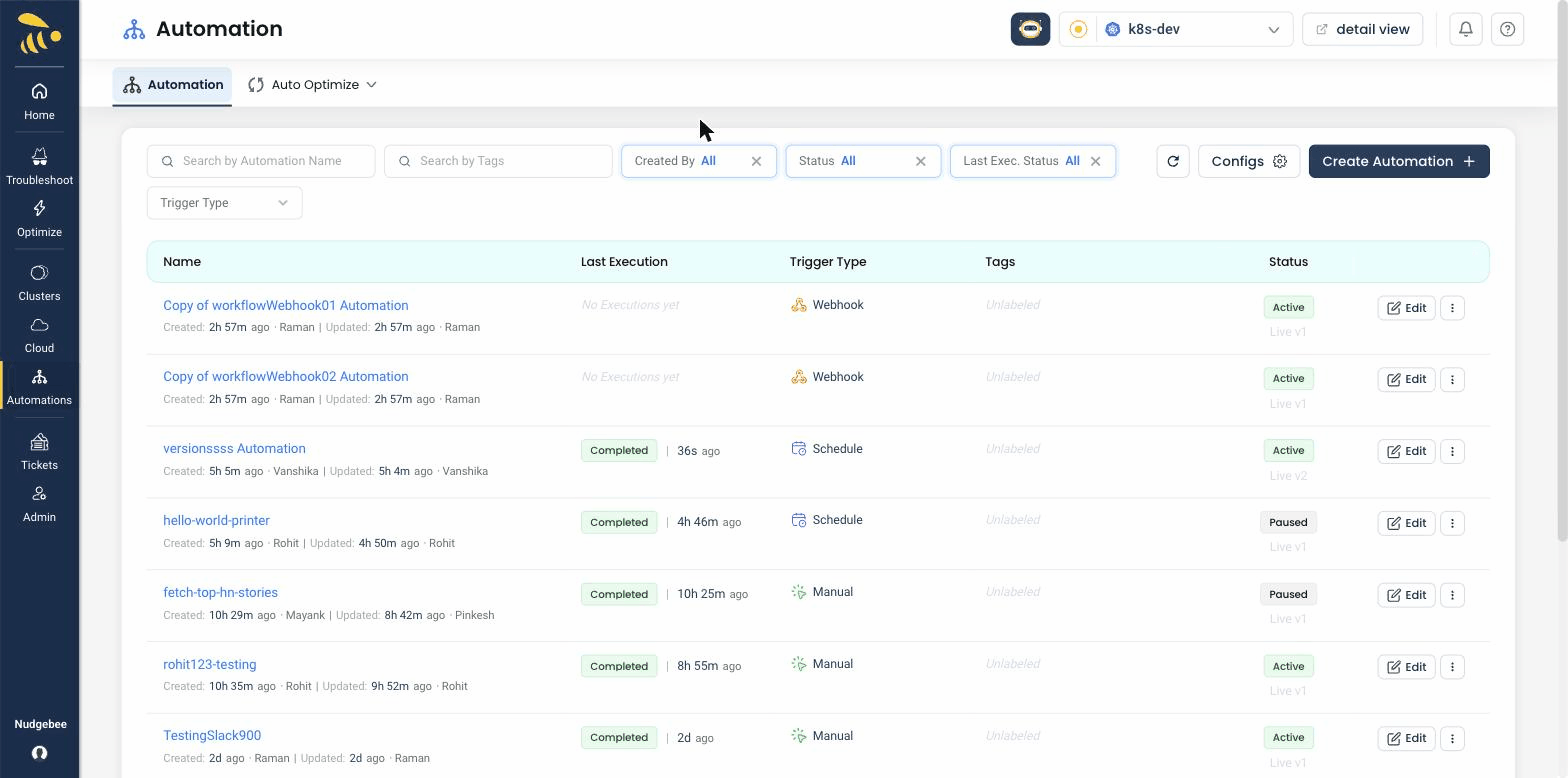
Autopilot enables automated, self-healing operations for your Kubernetes clusters using NudgeBee's 30+ pre-built Cloud-Ops Agents. Instead of manually responding to every alert, you can configure automated runbooks that detect issues and take corrective action — like restarting a pod, scaling a workload, or creating a ticket — powered by NuBi and the pre-built AI agents with human-in-loop approvals for safety.
Why Use Autopilot?
- Reduce MTTR from hours to minutes — Automated responses execute in seconds. Common issues get resolved before your team even sees the alert.
- Eliminate toil — Repetitive operational tasks (restart crashed pods, scale up during traffic spikes, create incident tickets) run automatically with enterprise guardrails.
- Consistent responses — Runbooks ensure the same best-practice steps are followed every time, regardless of who is on call.
When Do You Need This?
Autopilot is optional but highly valuable once you have the basics set up. You should configure Autopilot after:
- Your Kubernetes clusters are connected and monitored.
- An observability source is integrated.
- An LLM is connected (required for AI-driven runbooks).
Autopilot actions are fully auditable. Every automated action is logged with what happened, why it was triggered, and what the outcome was.
What You Will Find in This Section
- Auto-Optimize — Automatically apply optimization recommendations (resource right-sizing, scaling adjustments) without manual approval.
- Auto-Runbook — Create automated runbooks that trigger on specific events. Available runbook actions include:
- Create Ticket — Automatically create tickets in your connected ticketing system.
- Delete Pod Gracefully — Safely terminate and restart problematic pods.
- Execute Bash Script — Run custom shell scripts in response to events.
- Execute Custom Image — Run a custom container image as a remediation step.
- Horizontal Right-Size — Adjust horizontal pod autoscaler settings.
- Vertical Right-Size — Adjust resource requests and limits.
- Node Shutdown — Gracefully drain and shut down underutilized nodes.
- Notify — Send notifications through configured channels.
- PVC Right-Size — Resize persistent volume claims.
- REST API — Call external APIs as part of remediation.
- Workload Restart — Restart entire workloads (deployments, statefulsets).
- Workload Scaler — Scale workloads up or down.
Start with low-risk automations like creating tickets and sending notifications. Once you are confident in the triggers and conditions, move to automated remediation actions like pod restarts and scaling.