Action: Horizontal Rightsize
Add this action in the Automation builder: click Add Action, search for it, and configure its parameters.
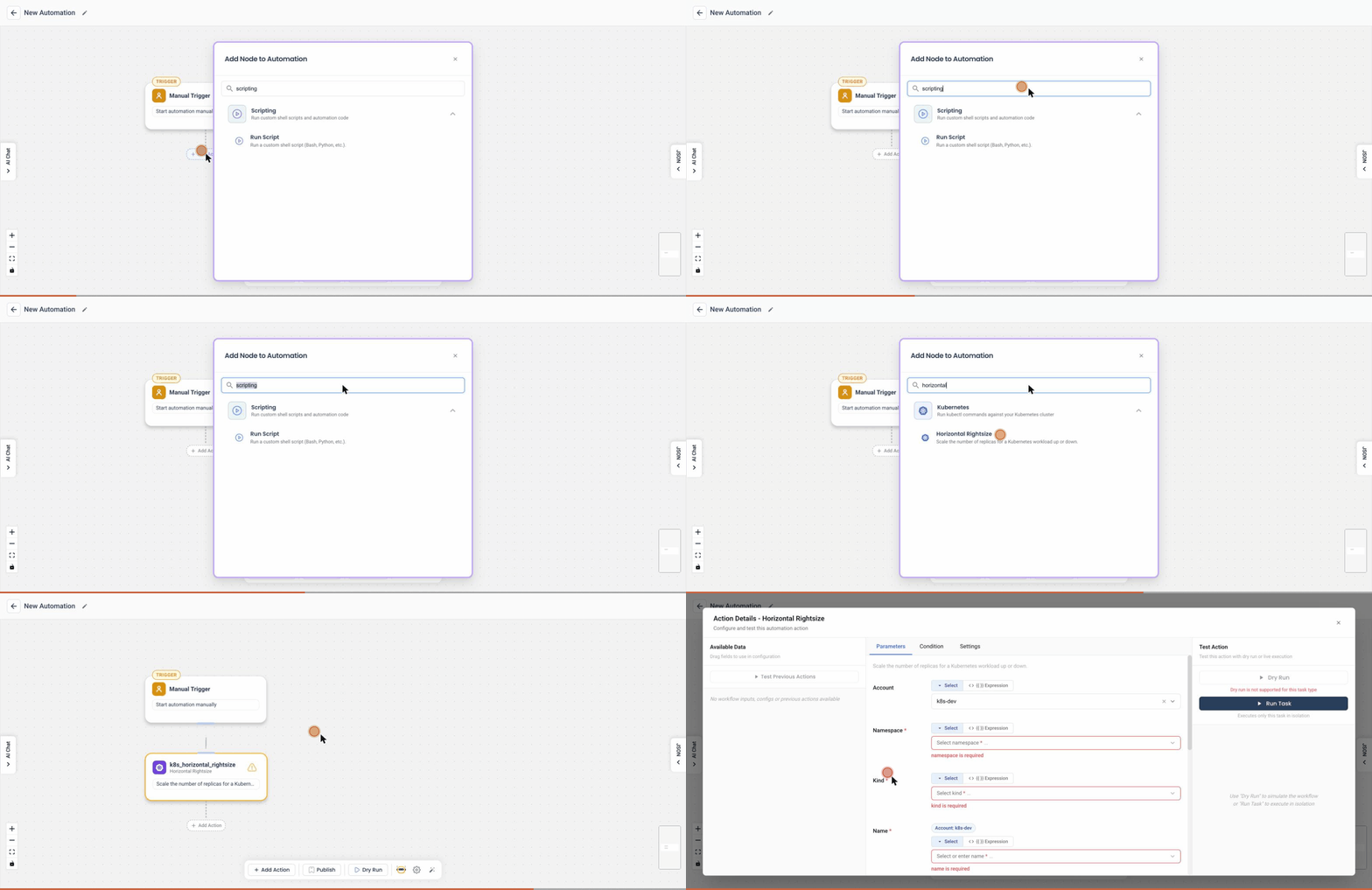
Overview
The HorizontalRightsize action in the Kubernetes Automation Tool allows you to scale the number of replicas for a Kubernetes workload either up or down. This action ensures that your workloads have the optimal number of replicas based on their performance needs and load.
User Inputs
The following user inputs are required to configure the HorizontalRightsize action:
-
Scale Direction:
- Toggle Button: Indicates whether the user wants to scale the replicas up or down.
-
Replica Configuration:
- Maximum Value: Define the maximum number of replicas.
- Minimum Value: Define the minimum number of replicas.
-
Change Mode:
- Toggle Button (Absolute/Rate): Allows the user to choose between absolute and rate modes for scaling.
- Change Replica By:
- Absolute: Sets the replicas to an absolute value, ignoring the minimum and maximum values.
- Rate: Adjusts the replicas by a specified rate, taking into account the minimum and maximum values.
Detailed Explanation
The HorizontalRightsize action interface is designed for ease of use and clarity. Here’s how each part works:
-
Scale Direction Toggle:
- Scale Down: Decreases the number of replicas.
- Scale Up: Increases the number of replicas.
-
Replica Configuration:
- Maximum Value: Specify the upper limit for the number of replicas.
- Minimum Value: Specify the lower limit for the number of replicas.
-
Change Mode Toggle (Absolute/Rate):
- Absolute: When this mode is selected, you can specify an exact number of replicas in the "Change Replica By" field. This number will be set as the new replica count, and the maximum and minimum values will be ignored.
- Rate: When this mode is selected, you can specify a rate (number) by which to increase or decrease the replicas. The new replica count will be adjusted by this rate, respecting the specified maximum and minimum values.
Example Use Case
Consider a scenario where an application experiences variable load during different times of the day. During peak hours, more replicas are needed to handle the load, while during off-peak hours, fewer replicas are sufficient. The HorizontalRightsize action allows you to configure these adjustments dynamically based on real-time requirements.
By providing precise control over the number of replicas, the HorizontalRightsize action helps in maintaining optimal performance and cost-efficiency in your Kubernetes environment.
This documentation provides a comprehensive guide to using the HorizontalRightsize action, helping users effectively manage the number of replicas for their Kubernetes workloads.