Notification Rules
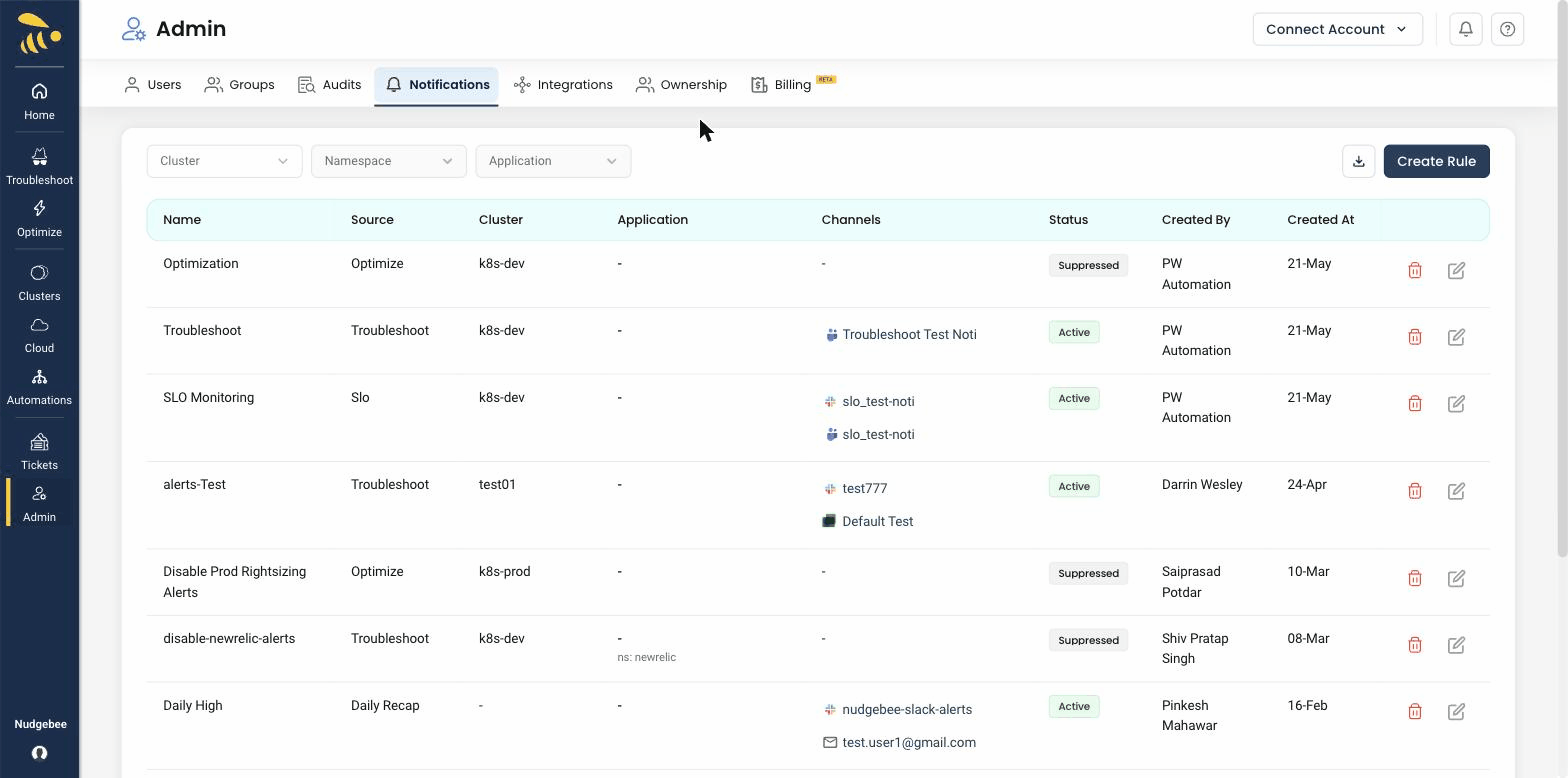
Notification rules let you control where alerts and event notifications are routed — and which ones are suppressed. By creating rules, you can direct notifications from specific clusters, namespaces, or workloads to the right channel, or disable notifications for noisy resources.
info
Prerequisite: You need at least one notification channel configured (Slack, Microsoft Teams, or Google Chat) before you can create routing rules.
What You Can Do with Notification Rules
- Route notifications from a specific cluster, namespace, or workload to any channel in your configured messaging tool.
- Suppress (disable) notifications for a specific rule — useful for development or staging environments that generate noise.
tip
Start by routing production namespace alerts to a dedicated on-call channel, and suppress notifications from development and staging namespaces to reduce alert fatigue.