ZenDuty Webhook
The ZenDuty webhook integration lets ZenDuty push alerts into NudgeBee. Each alert becomes a NudgeBee event that can be triaged, correlated with cluster telemetry, and used to trigger automations.
Step 1: Create the Webhook in NudgeBee
- Navigate to Admin > Integrations > Webhooks.
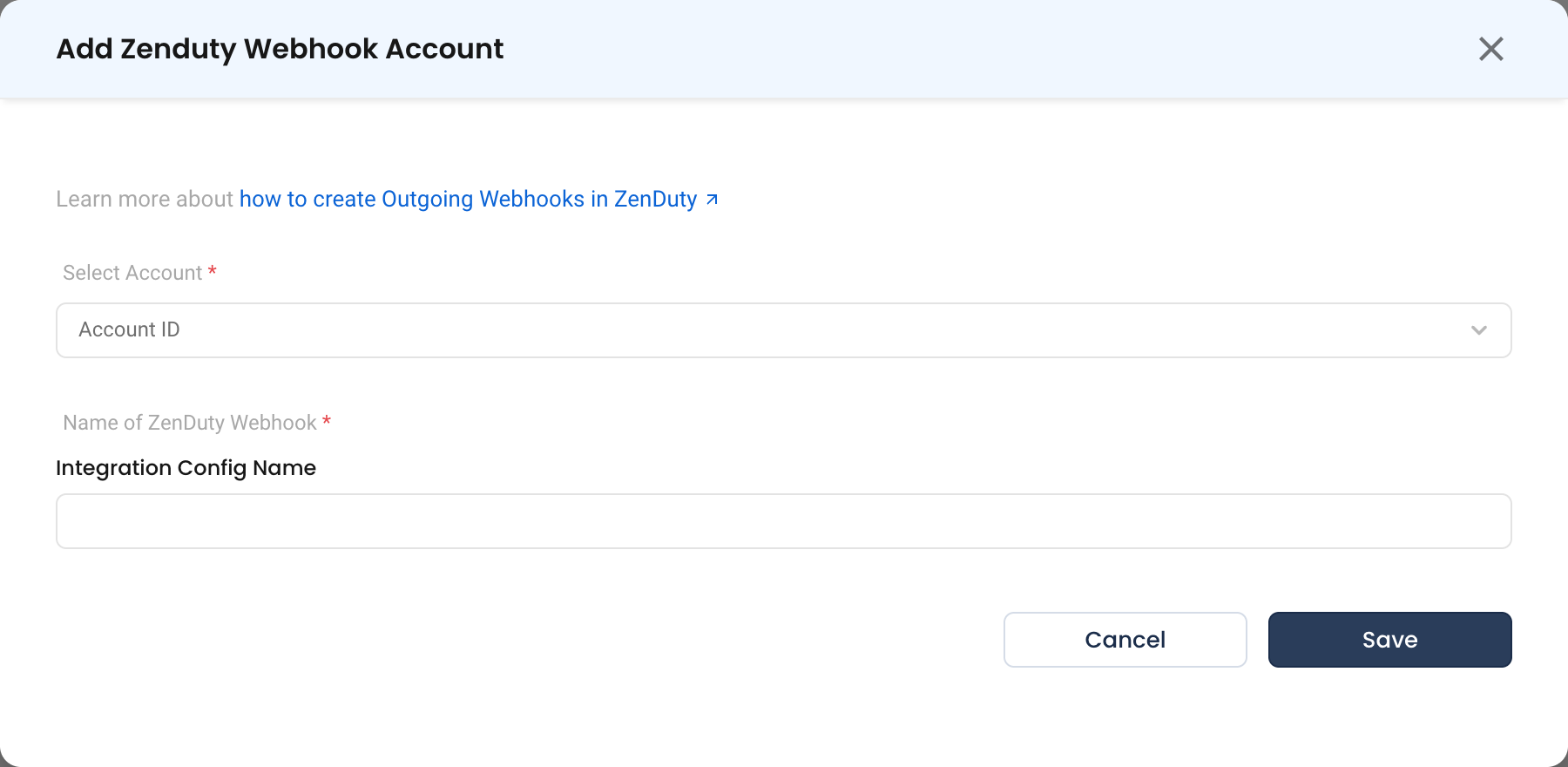
- Select Zenduty Webhook and click Add Zenduty Webhook Account.
- Fill in the form:
- Name of ZenDuty Webhook * (Required) — a descriptive name, e.g.
zenduty-prod. - Select Account * (Required) — the NudgeBee account that should receive these events.
- Name of ZenDuty Webhook * (Required) — a descriptive name, e.g.
- Click Save.
NudgeBee generates a unique webhook URL for the integration, in the same form used by the other inbound webhooks:
https://<your-nudgebee-domain>/api/webhooks/zenduty_webhook?token=<generated-token>
- Copy the webhook URL. You will paste it into ZenDuty in the next step.
The token query parameter authenticates the sender. Treat the full URL as a secret — anyone holding it can create events in your tenant. If it leaks, delete the integration and create a new one to rotate the token.
Step 2: Point ZenDuty at the URL
Create a ZenDuty outgoing webhook in ZenDuty and set its destination to the URL from Step 1:
- Method:
POST - Content-Type:
application/json - URL: the NudgeBee webhook URL, token included
Then attach it to the alert rules whose notifications you want in NudgeBee. Send a test notification if ZenDuty offers one.
Reference: ZenDuty outgoing webhook documentation
Step 3: Verify
- Trigger a test notification from ZenDuty, or wait for a real alert to fire.
- In NudgeBee, open Troubleshoot > Events. The event should appear within a few seconds.
- Open it and confirm the alert name and severity carried across, and that the impacted workload is linked where the payload identifies one.
Troubleshooting
| Symptom | Likely Cause | Fix |
|---|---|---|
| No event appears | ZenDuty cannot reach the NudgeBee URL | Confirm the NudgeBee endpoint is reachable from ZenDuty's notification sender. Check egress rules on both sides. |
401 or 403 from the endpoint | The token parameter is missing or wrong | Re-copy the full URL from the integration — the token is part of the query string, and is easy to drop when pasting. |
| Event appears with no workload linked | The payload carries no identifier NudgeBee can match | Include the resource, host or service name in the alert payload so it can be matched to a workload. |
| Duplicate events for one alert | Two notification rules point at the same URL | Consolidate them in ZenDuty, or use separate integrations per environment. |
| Alerts never resolve in NudgeBee | Only firing notifications are being sent | Configure ZenDuty to send resolution notifications to the same destination. |