Self-hosted VMs
Infra → VM
A self-hosted VM account groups standalone virtual machines and bare-metal hosts that sit outside a cloud account. NudgeBee reaches them through a proxy agent (Forager) running in your network, rather than through a cloud provider API. Nothing is installed on the VMs themselves: the proxy agent finds them on the network and reads their package inventory over SSH.
What you get:
- Package inventory — the OS and installed packages of each VM.
- Vulnerability detection — installed packages matched against known CVEs.
- Investigation with NuBi — once
ssh_accessis enabled, NuBi runs read-only commands on the VMs over SSH to answer questions; changes need your approval (see Investigate with NuBi). - Metrics, events, traces, logs and a service map — when you connect the matching data sources (see Observability).
Before you start
A self-hosted VM account needs three things, in this order. Set up self-hosted VMs walks through them.
- A self-hosted account in NudgeBee.
- A proxy agent linked to that account and running on a machine that can reach the VMs.
- A discovery datasource on that proxy agent — this is what finds the VMs and collects their packages. A proxy agent on its own does not list any VMs.
The VM page
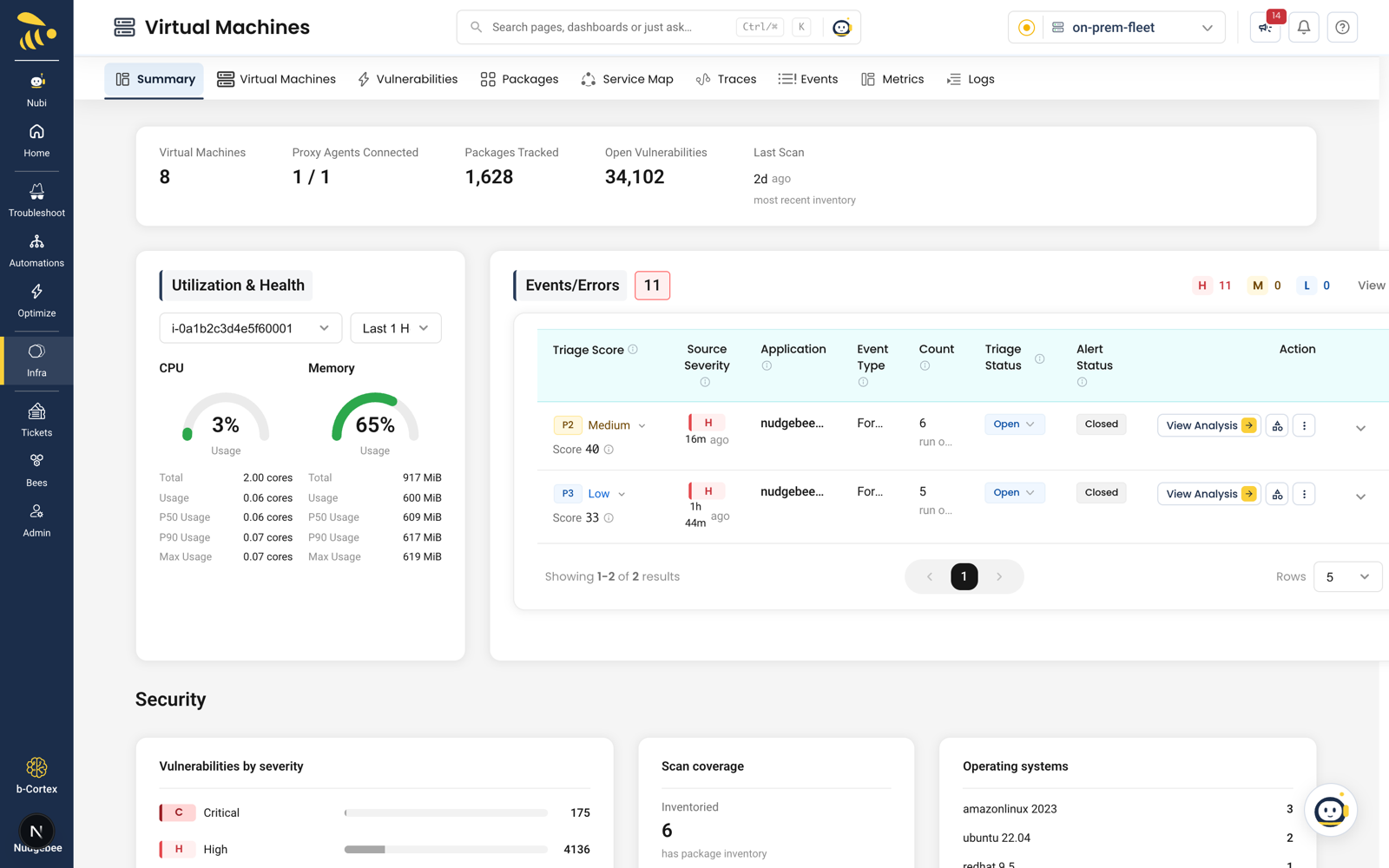
Pick the account in the header account selector (group Self-hosted VMs). The page has these tabs:
| Tab | What it shows |
|---|---|
| Summary | Fleet counts, utilization, events and a security overview — see Summary |
| Virtual Machines | Every VM, its packages, open vulnerabilities and scan status — see Virtual Machines |
| Vulnerabilities | Package vulnerabilities across the account — see Vulnerabilities |
| Packages | Installed packages across the account — see Packages |
| Service Map, Traces, Events, Metrics, Logs | Observability data from the sources you connect — see Observability |
The proxy agents for the account are shown in Agent Health → Proxy Agent, not on this page.
If the tenant has no self-hosted account yet, the page shows Get started with self-hosted VMs with an Add Self-Hosted Account button (users without write access see Need admin permission to add a self-hosted account).
Home also shows a VM Fleet card for the selected self-hosted account, with View all linking here.
Permissions
- Users with a custom role need read access to the cloud module to open Infra → VM.
- Scan, Decommission, Recommission and Dismiss need write access to the account.
What isn't available yet
- Package scanning supports Linux deb and rpm packages only.
- VMs are found by a network sweep. Directory (LDAP / Active Directory) discovery isn't used yet.
- Apply Patch shows Coming Soon.
- A discovered VM can't yet be linked to an existing cloud resource from the UI, so it appears named by its IP address, or by its cloud instance ID when the agent can read one.
- Proxy agents don't show an "update available" notice.