Investigate VMs with NuBi
With a self-hosted account selected, NuBi answers through the VM Troubleshooter. It lists the account's VMs from the inventory and, once ssh_access is enabled, runs short shell commands on them over SSH through your proxy agent. It checks the VMs as they are now; it doesn't read history from your metrics or log store.
Before you start
Commands reach a VM through an SSH datasource that the proxy agent exposes from its discovery datasource. Add to the agent config:
signing_public_key: "<key>"          # top level; Helm: forager.signingPublicKey
datasources:
  - type: discovery
    name: segment-a
    allowed_hosts:
      - 192.0.2.0/24                 # must not be empty
    discovery:
      ssh_access: true
      known_hosts_file: /etc/nudgebee/known_hosts
      # ...pack_public_key, pack_dir as before
| Setting | Why |
|---|---|
discovery.ssh_access: true | Exposes the hosts in allowed_hosts for commands, using the discovery datasource's SSH user |
discovery.known_hosts_file | Host keys are checked before any command runs |
allowed_hosts (not empty) | Commands can only reach hosts in these ranges |
signing_public_key | The agent only runs commands signed by NuBi. It is set by the install command when your tenant has a signing key; if your install command had no NB_SIGNING_PUBLIC_KEY, contact NudgeBee support |
known_hosts_file applies to scans tooThe discovery datasource uses the same known_hosts_file for package inventory. Once it is set, every scan refuses a host whose key isn't in that file or has changed, and that VM stops being inventoried. Add every host in allowed_hosts first, for example:
ssh-keyscan -t ed25519,rsa 192.0.2.11 192.0.2.12 >> /etc/nudgebee/known_hosts
Re-run it for a VM after it is rebuilt.
If a setting is missing, the agent logs ssh_access not enabled with ssh_access requires ... naming it. Restart the agent after the change; an SSH datasource named <discovery name>-ssh then appears in Agent Health → Proxy Agent → Datasources.
The VM must be in the account's inventory with an IP inside allowed_hosts — NuBi won't connect to an address taken only from your message. An SSH integration added by hand in Admin → Integrations isn't used.
What to ask
Open NuBi from any page with the self-hosted account selected in the header. For example:
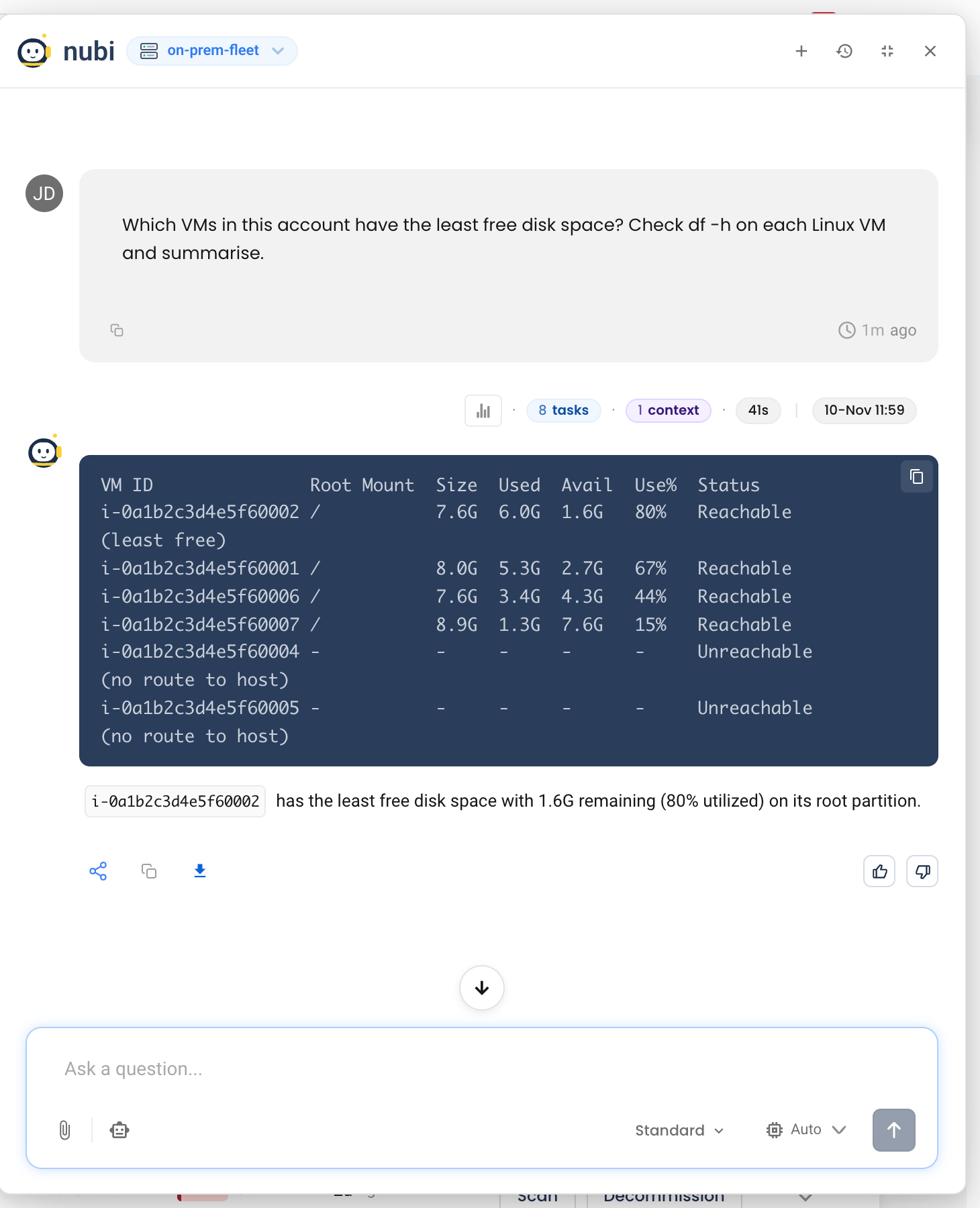
- Which VMs in this account have the least free disk space?
- Why is nginx failing on 192.0.2.15?
- Check the journal on the redhat VM for errors in the last hour.
- Which services are using the most memory on each VM right now?
From a vulnerability row, Ask NuBi opens the chat with that finding as context.
NuBi keeps each command small and non-interactive — service status, processes, disk, memory, network, and journal or application logs — and runs it once per VM, keeping each machine's result separate. A VM it can't reach is reported as such, not skipped.
What it can and can't do
- Reading is automatic. Commands that only read are run without asking.
- Changes need your approval. A command that would change the host — restarting a service, deleting files — or that NuBi can't classify stops with Run command "..." on VM resource ... using its eligible SSH datasource? Approval covers that exact command on that VM only. If you decline, NuBi continues without it. See approvals in the chat.
- sudo only when you ask. Commands run as the discovery datasource's SSH user. If that user can't read the journal or kernel log, NuBi says so instead of retrying with
sudo; ask for privileged collection explicitly if you want it. - Other VM accounts. Name another self-hosted account in your question to run commands there, if you have read access to it.
- Code. When a service on the VM has a linked repository, NuBi can read that repository to explain a failure in the service's own code.
When it can't reach a VM
See NuBi can't run a command on a VM in Troubleshooting.